Run the dust dispersion model (for 1-s wind inputs)
1. Double click the exe file:

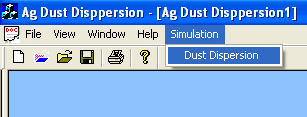
2. Click Simulation then Dust Dispersion
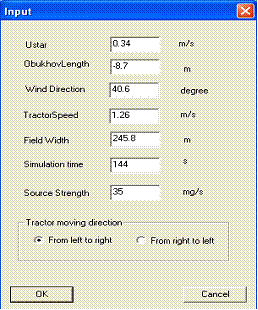
3. input the parameters and click ok (the input parameters of Ustar, Obukhove Length, and Wind Direction will not be valid from the dialog because all the wind inputs will be from a text file)
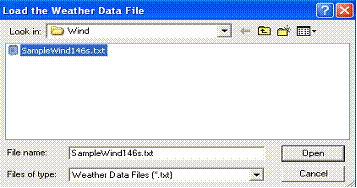
3.a, load the SampleWind146s.txt (Modis on Remotesensing1 :\Jim\RandomWalk\Wind\SampleWind146s.txt)

Sample data from SampleWind146s.txt:
1 146 (first row: 1: 1 s data; 146: totally, there
are 146 s data; each row represents 1 s data)
0.149750396 -8.560020648 354.5916905
(ustar: m/s; Obukhove Length, m; Wind Direction, degree )
0.254886377 -7.978645406 341.7197634
0.181723666 10.03183652 352.046365
0.115736541 -3.843934218 352.0847952
0.171413392 -4.954171244 350.8416823
0.045755226 -0.150996074 353.2380735
0.093361392 -1.416353568 355.290059
0.127148525 -1.586335726 360.819867
0.087872791 7.36587504 358.6538098
0.033297904 -0.130426909 353.2319965
0.126169727 -6.830158224 351.6882044
0.257892657 -26.04402087 344.7079655
0.182886265 -12.37953007 355.1504426
0.149993618 -12.5536398 360.7104861
0.07297725 -7.803325686 356.2223443
0.092112042 -2.612135559 350.2269106
0.179934409 -32.612957 350.1023756
0.151175943 -2.380053772 351.5446202
0.166605023 -16.28027438 354.7380068
0.207633773 -4.268605179 355.4432064
0.089460402 -0.701836188 357.1450543
0.155774251 5.143816282 352.487825
0.101633154 -1.571389241 357.8792274
0.144657396 -6.301928416 353.7056288
0.179058025 -2.881920493 358.1135625
0.259937533 -19.66813366 365.2340251
0.200039798 -18.3015284 371.2805257
0.227115628 -2.23275545 40.58312951
0.273777763 -11.13816947 33.05019263
0.114229994 -2.079177955 32.18546547
0.194434051 107.6002015 16.52881866
0.036435069 -0.205626337 369.4299437
0.221326416 -122.7995928 16.63051306
0.191610384 215.8421433 19.29229549
0.339084945 -370.4613543 23.35946035
0.209757265 -2.930049075 20.26020268
0.181611985 -3.118341011 21.35538693
0.118199593 -8.014153476 23.37300067
0.145795855 -7.273687749 19.10264948
0.222014181 -9.323261306 21.15066124
0.182135668 -7.332147243 23.38297776
0.175404981 31.6831512 351.3655003
0.215963512 -143.19166 352.3657778
0.097000202 -7.952834037 355.8742935
0.229390571 185.9877547 356.8425208
0.052016648 -8.345744935 351.0579
0.058151249 71.98749702 17.43250974
0.158655748 -544.9822177 359.7292241
0.23327267 297.7329042 359.8075954
0.067729081 3.127660581 356.0018233
0.114364054 100.6867884 15.58569111
0.045506153 34.05183718 24.09473758
0.15760471 -10.54343109 26.84128204
0.099225527 154.8330742 30.62768549
0.089477037 -4.287635816 37.55764919
0.146886779 -1.855741242 38.75937395
0.160153428 -2.714657874 39.47782228
0.141216109 18.70270966 28.7437956
0.200695648 -2.689469166 23.87967305
0.228301662 -6.611189331 20.21581979
0.181359204 -89.91562097 33.2620276
0.744070466 -196.3170057 32.08301257
0.218279991 -72.15665997 26.7102858
0.453281037 -64.28146688 41.56866396
0.279057148 -79.83286168 39.68018281
0.359305679 -30.82783539 47.82396223
0.203814788 -32.45678547 30.55390146
0.325489185 -11.22147045 43.74235044
0.231953874 -7.568427633 49.8198058
0.279648171 -207.0972383 49.46936125
0.366211962 -24.61689594 42.45686867
0.221576494 24.99710887 41.08946477
0.29007933 20.90187081 35.4346984
0.259669186 -23.15287896 35.90299992
0.383089142 -18.75341645 18.81421171
0.200467454 12.99586983 17.63239718
0.266599538 10.23759475 22.59810929
0.386316762 -28.5525412 23.87780333
0.281681335 -5.518652599 42.09993825
0.187267128 -326.3994307 43.06708803
0.441182369 283.800152 43.96185436
0.460157854 -157.4407455 45.9035602
0.182954942 -8.805317371 40.53335126
0.22299232 -21.96982978 44.76613303
0.35696283 -12.90547285 61.00599926
0.314023306 -8.826951968 59.36309599
0.185426234 -119.3315759 54.26289711
0.290110331 -11.19189211 53.39243839
0.268441408 -91.03907734 38.8904114
0.271420709 -16.92794483 36.5482771
0.458435803 -47.01609801 39.80773031
0.260243271 -16.51046113 34.08411648
0.338201388 -21.68952687 53.18749349
0.294797774 22.62407834 59.75025363
0.290954804 -94.92897151 63.16090249
0.13241412 91.50719248 46.96817909
0.203841944 -13.54207073 46.81100044
0.183564693 -35.16007218 44.83101793
0.367725662 -27.93214187 53.85993608
0.138667366 -5.644233054 57.93163826
0.222649291 -6.038129308 58.11032868
0.169539434 -4.100490602 53.83484397
0.414255893 -17.79465669 39.81128566
0.380663492 -51.87323858 34.76508285
0.206785464 -3.255981929 37.88357789
0.322527986 -13.42464537 32.48815403
0.195129166 -2.587794486 35.76179352
0.285986886 -16.47323742 47.24519194
0.300184349 -4.472996117 39.31514849
0.137913852 -8.464320258 45.37521566
0.112025007 -4.436217056 40.57171014
0.329438039 -8.623913627 30.61298662
0.204853114 45.8193356 32.95657483
0.118506595 -0.36240796 35.29603329
0.193377715 -4.713412618 41.38894474
0.410212362 -33.22011077 38.14044217
0.287467628 -5.355740628 31.5935467
0.201063407 -37.75346975 31.91818652
0.211916074 87.6631064 30.07803175
0.327389083 -135.3123589 23.60562721
0.350141364 -30.23788143 26.61955521
0.143352674 -3.33945328 27.62911792
0.144498223 -2.228388706 20.99521655
0.413962702 -11.58859162 21.40564479
0.236323769 -5.501255621 21.39795409
0.200626956 -77.09632017 17.70900686
0.216969913 265.9099057 25.44346471
0.142832907 -3.206908553 38.79427166
0.294997326 -18.08481763 27.83686326
0.184001035 -5.60243874 26.90217581
0.248204359 -10.05975207 23.85988876
0.228965134 -17.57590137 25.88210001
0.196811843 182.9123649 25.22387937
0.061090477 0.726032423 22.82362154
0.172483293 25.34006498 16.57433596
0.311132829 -12.28487096 18.95945494
0.276206854 -60.80258357 30.65369328
0.209968847 116.9218366 19.22349509
0.127572822 -1.338282743 367.7351175
0.085701548 -269.6382793 370.7801275
0.272708525 -8.154214624 373.3911179
0.19207823 -22.42145835 354.839682
0.172117913 -1.123266596 352.3886191
0.149484139 -3.533265872 349.7057402
0.13723145 -8.474376092 354.3860768
0.058569377 -1.088524439 353.1179193
0.24117579 -4.148037786 26.15933218
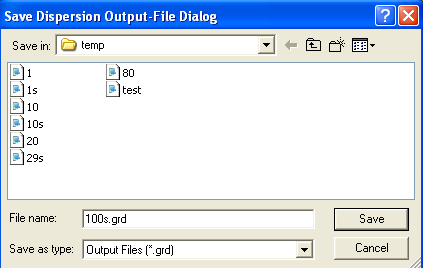
4. give the output file name and click Ok
5. it will run about 1 minute and then give the graphic outputs and the file output
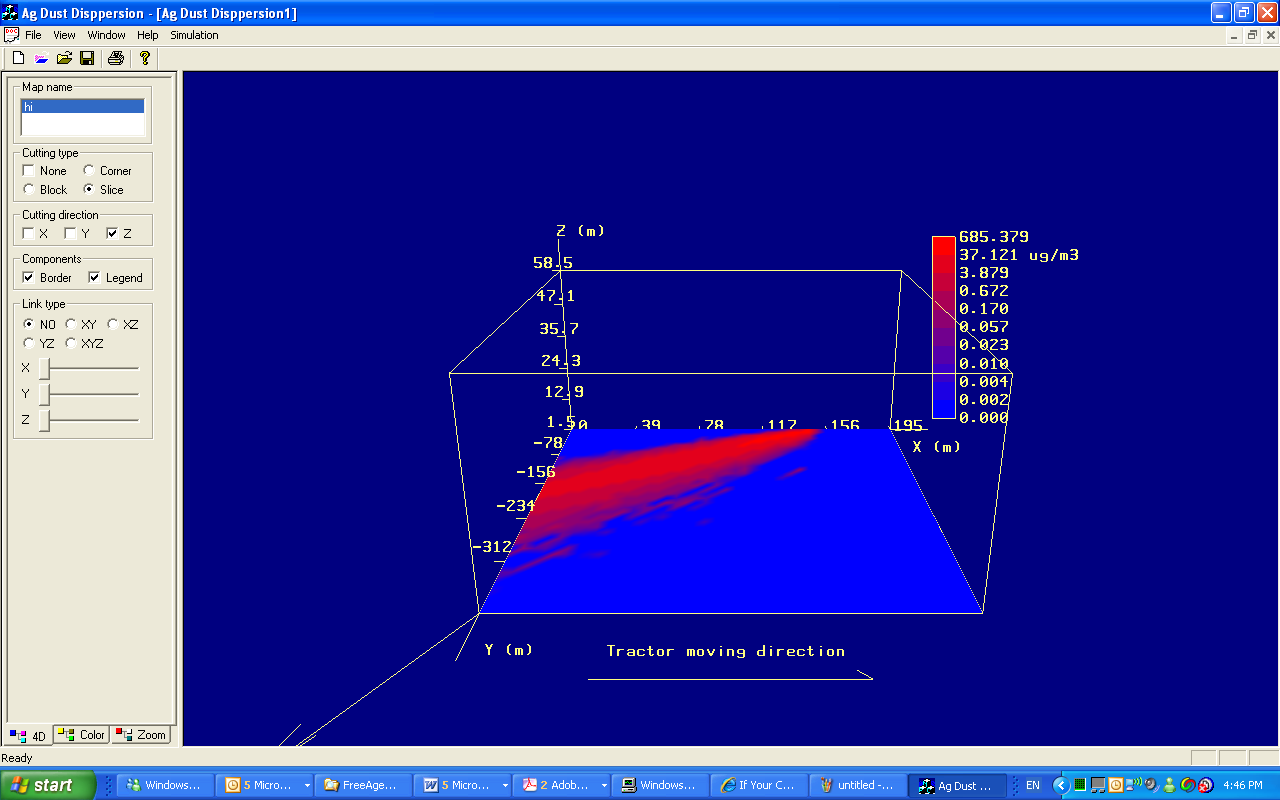
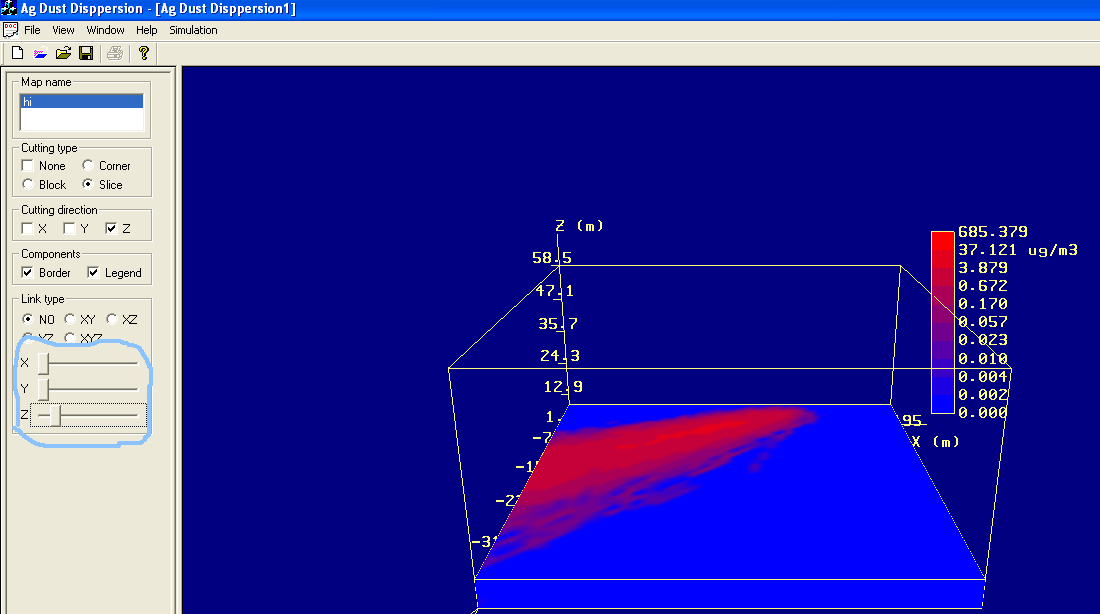
6. You can drag X or Y, Or Z slider to see the plume at different height or horizontal distances.
7. You can click on Color button or Zoom Button to see more options
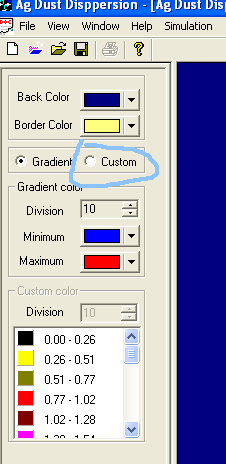
8 Click on Color button then you will see
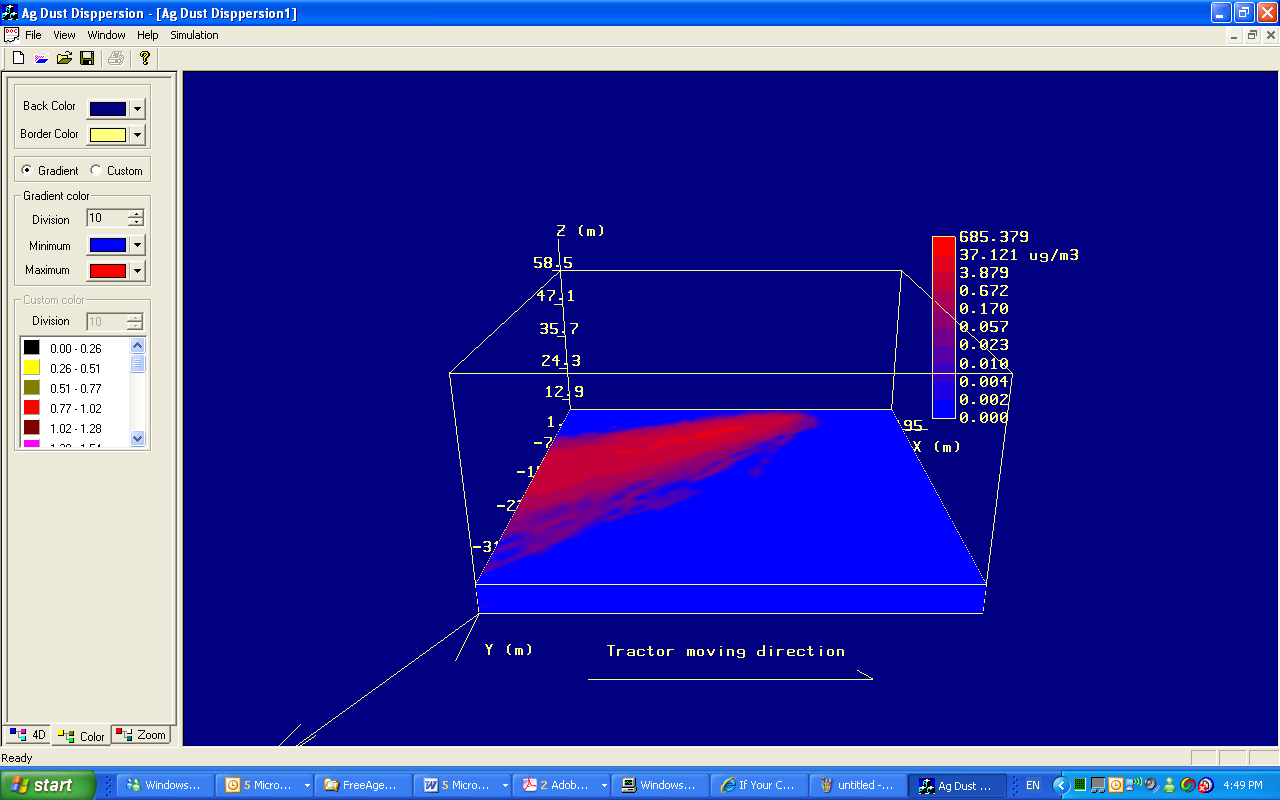
8. Then click Custom to show custom colors
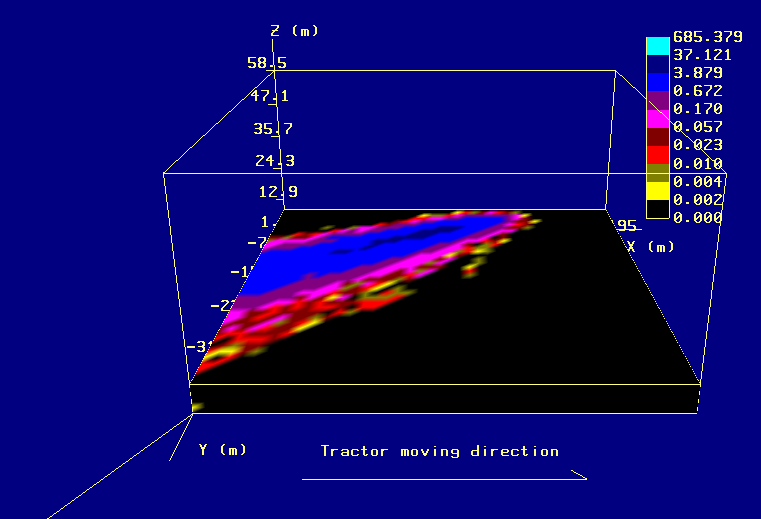
9. You can click Zoom to show other direction pictures
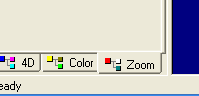
10. For example, click Random rotation
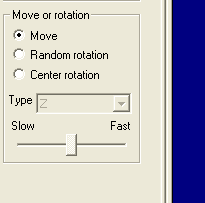
11 Click XYZ radio button
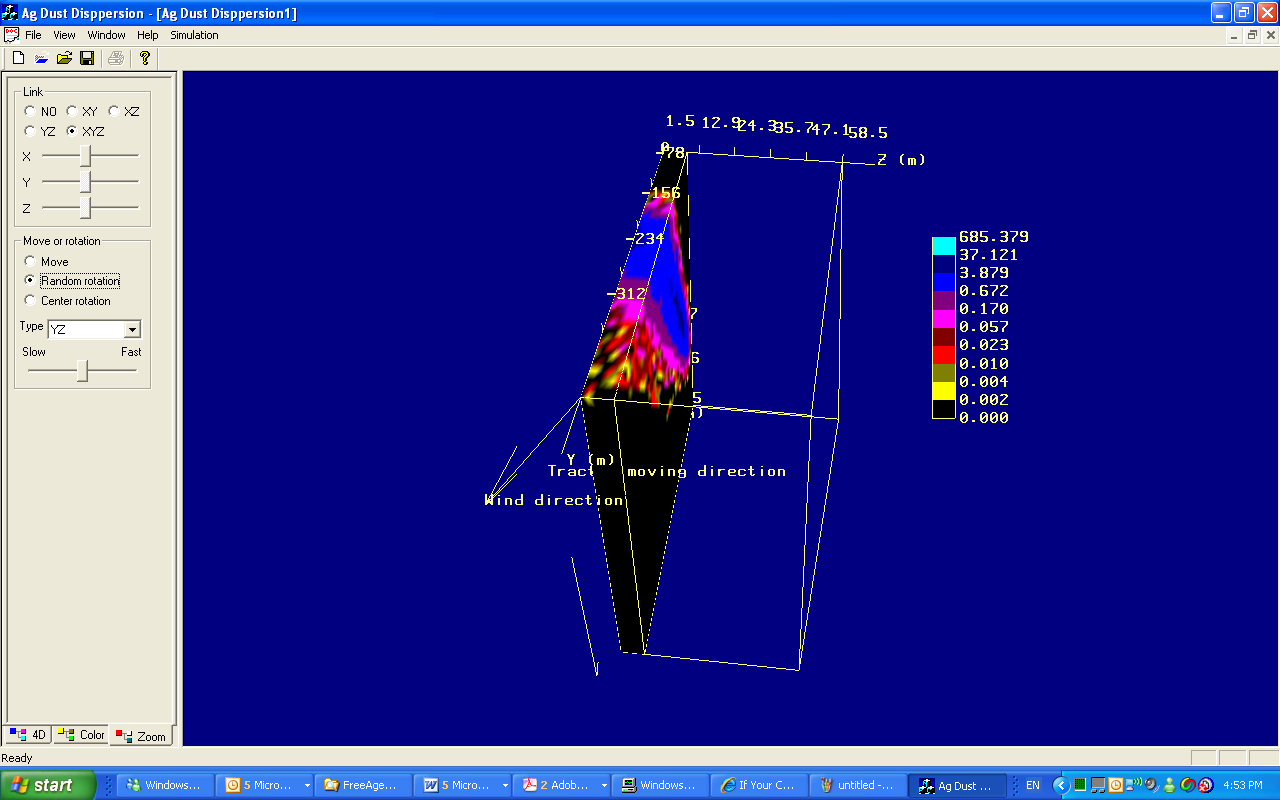
11. You can also click 4D and other radio buttons to show different 3-d graphs
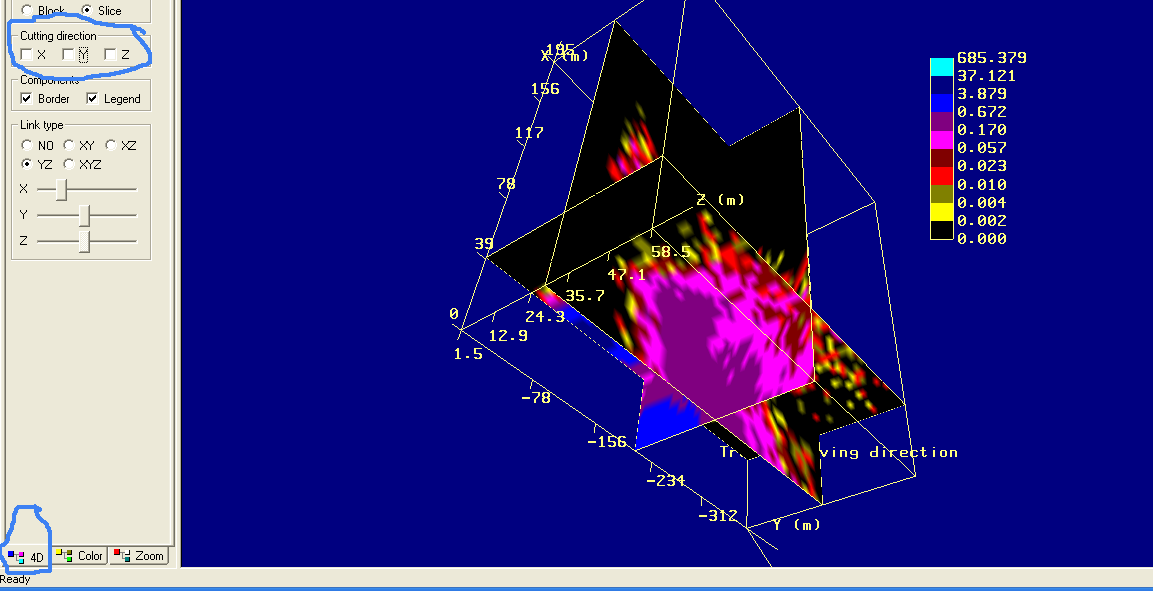
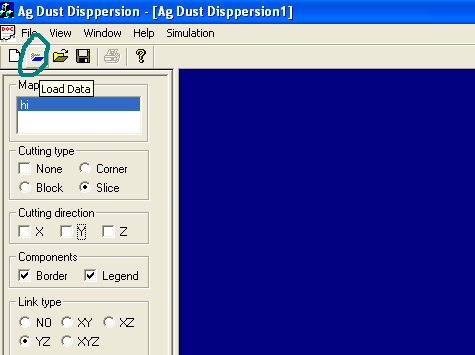
12. You can open other output files by clicking the colored folder button
13. chose the file and click Open
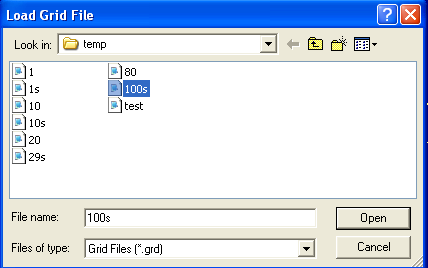
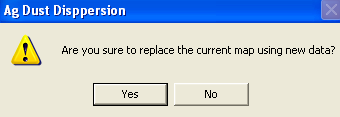
14. Then click yes
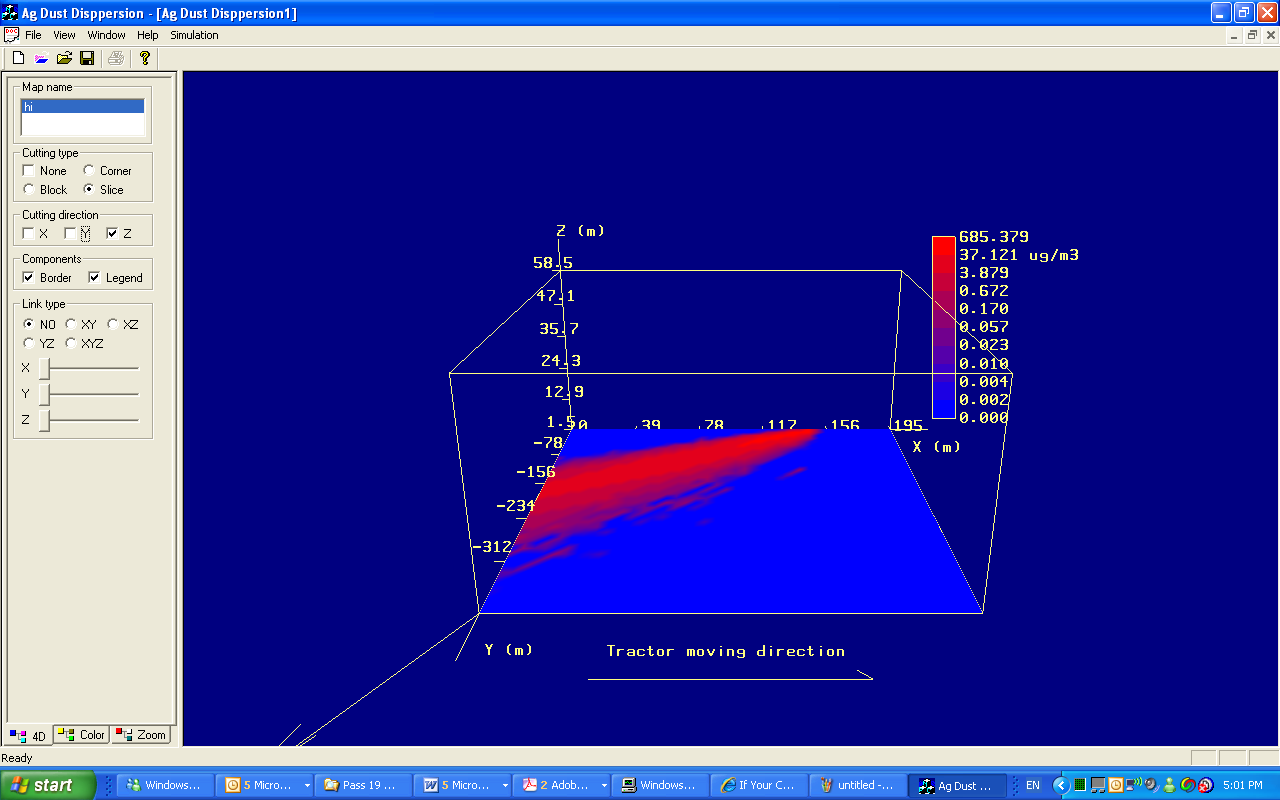
15. The loaded file graph
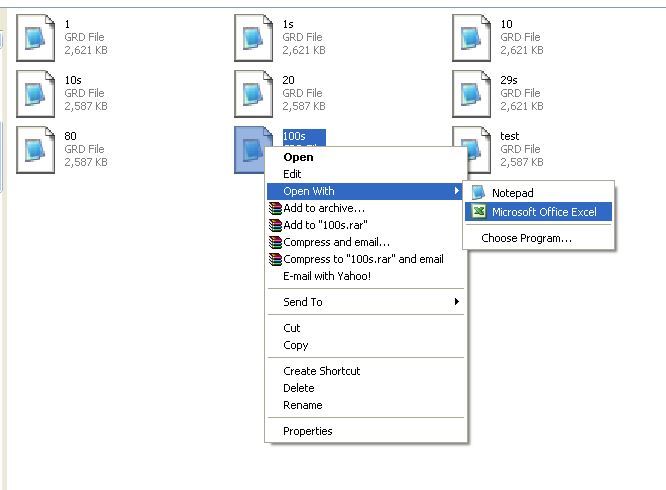
16 You can use Excel to open the output file.
Right click the file name and Open with Excel
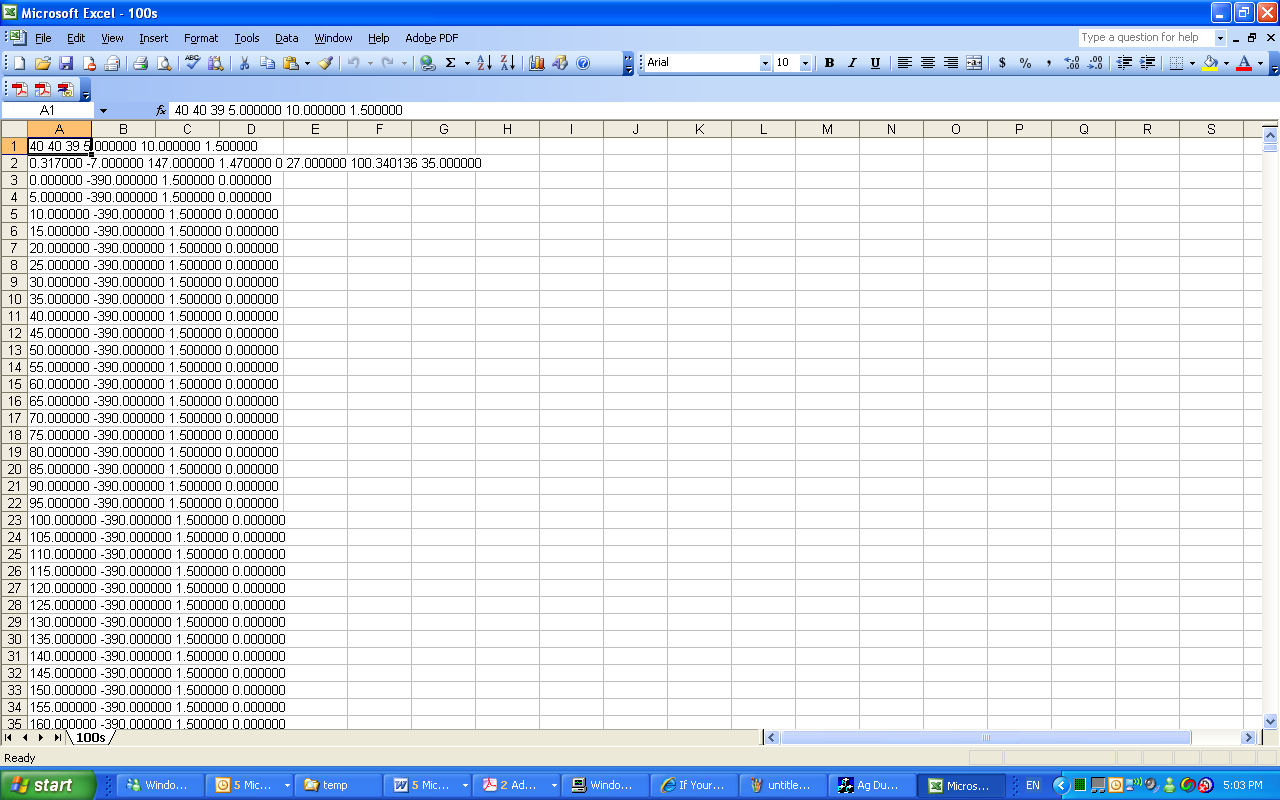
17. the top two rows are inputs and model setup information.
Then the first column is the X coordinate, Then second column is the Y axis and then Z, the last column is the concentration (ug/m3)
The interface program of the model was adopted from:
(http://www.codeguru.com/cpp/g-m/opengl/article.php/c2685)